
Getting Started with SoundMint
SoundMint provides artists with tools to collaborate securely on projects with File Library and Collaboration Tools, plus mint art onchain. Our platform leverages blockchain technology for transparency and IP ownership protection.
Connecting Your Wallet
To begin using SoundMint, you'll need to connect a crypto wallet. This enables secure authentication and allows you to interact with the blockchain for minting and ownership verification.
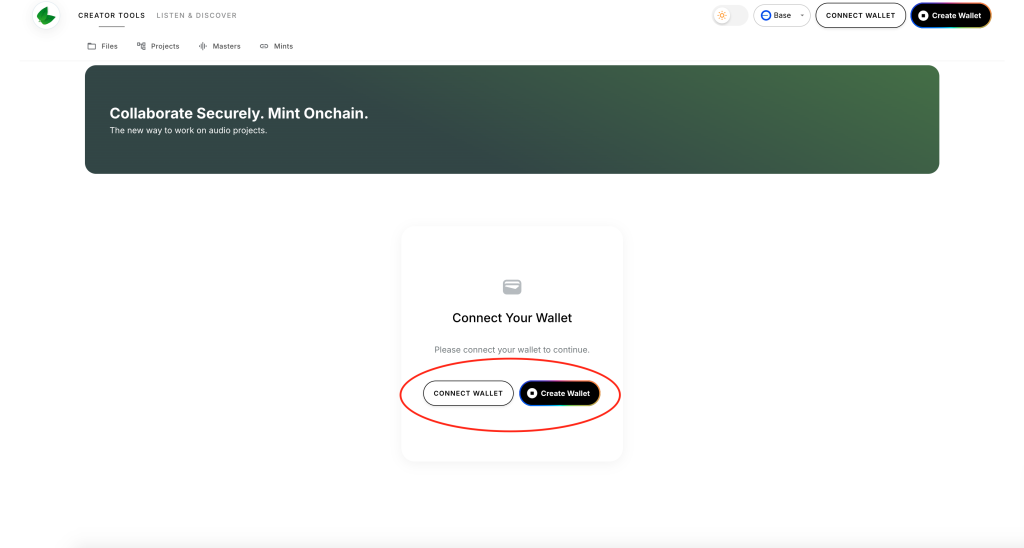
Step 1: Select Your Wallet Platform
Choose from popular wallet options including Coinbase Wallet, MetaMask, and others. If you're new to crypto, we recommend starting with Coinbase Wallet for its user-friendly interface.
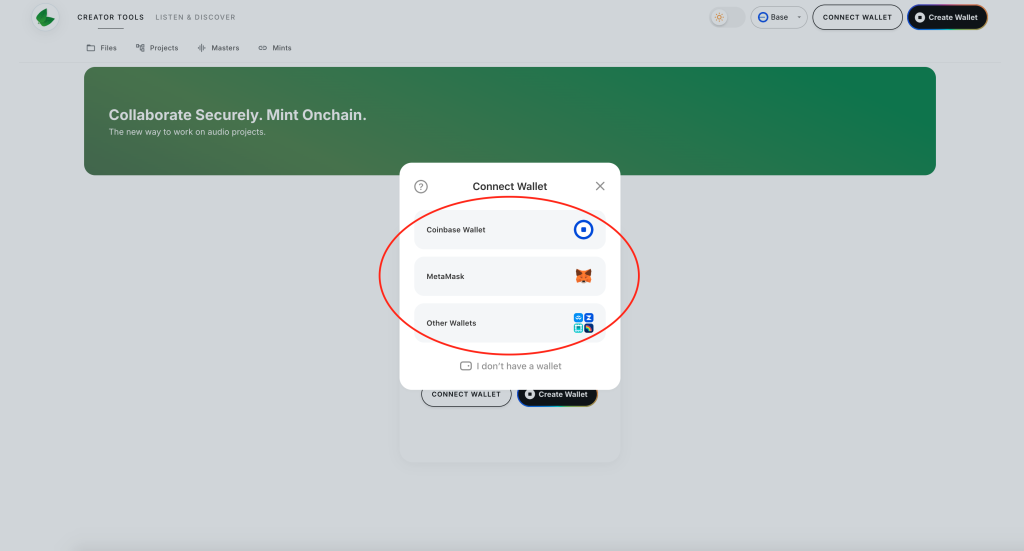
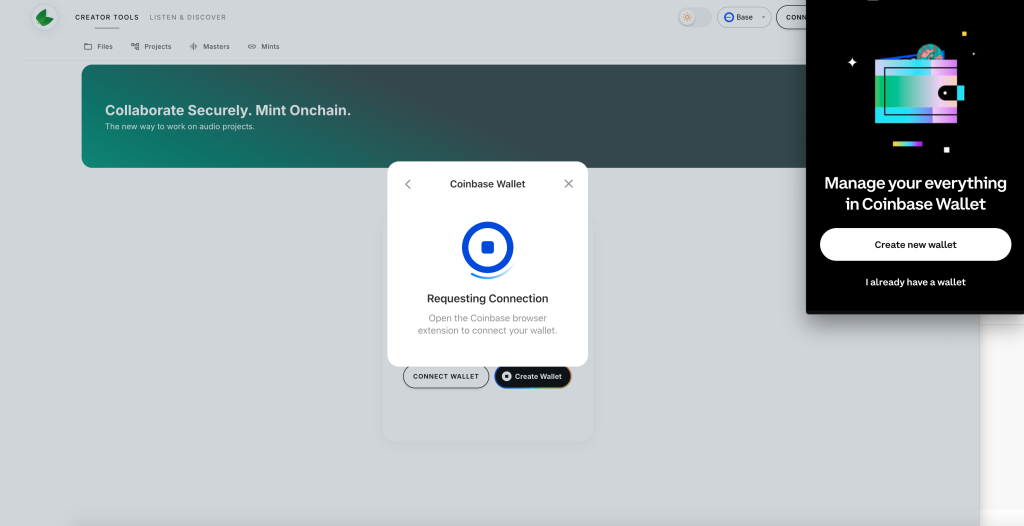
Step 2: Import Your Wallet
Enter your recovery phrase or private key to import your existing wallet, or create a new one if you're just getting started.
Why Use a Crypto Wallet on SoundMint?
Our platform emphasizes privacy, security, and transparency. Here's why crypto wallets are essential:
- Decentralized Protection: Your assets are protected against hacking through blockchain security
- Ownership Control: Prove ownership of your work without intermediaries
- Smart Contracts: Enable clear terms about contributions and revenue splits
- Automated Royalties: Automatic royalty distribution for collaborative projects
Uploading Audio Files
Once connected, you can upload your audio content including songs, podcasts, and book readings. Your membership tier determines your upload limits and storage capacity.
Creating and Managing Projects
Bundle multiple files into projects (albums, podcast series, novel readings) with:
- Custom project names
- Detailed descriptions
- Cover images
- Collaborator management
Collaborations
Invite other artists and collaborators to your projects with role-based permissions. You can invite:
- Existing SoundMint users by username
- New users via email invitation
Each collaborator can be assigned specific roles that determine their access and editing permissions.
Ready to dive deeper? Check out our other guides on uploading files and managing projects.